Do you want to rotate objects in 3D space without running into gimbal lock issues? Relatable.
Do you want to show off a complex mathematical concept that spans imaginary numbers and four-dimensional space to your loved one and have them say “Erm… that’s nice dear? It’s just turning around?”. Relatable.
In any case, join me in this blog post as I will try my best at giving a full on explanation about Quaternions, what they are and how to use them for rotating objects in 3D space.
What are Quaternions?
Quaternions are defined using four components: one real part and three imaginary parts. Their general form is:
is the scalar (real) part. are the components of the vector (imaginary) part. are the fundamental quaternion units.
But you may also see them as ordered pairs in the literature:
What do they represent?
Stick with me for that looong explanation, for it will be worth it. Let’s go back for a moment to complex numbers.
Complex numbers are made up of a real and an imaginary part. For example:
where
Initially mathematicians came up with complex numbers to solve equations that didn’t have solutions in the real number system like
So what did they do? They invented the imaginary unit
And now we can solve the equation:
So
… and so on.
It has a nice cyclical behavior, doesn’t it? What if we graphed that on a 2D plane? We would get something like this:
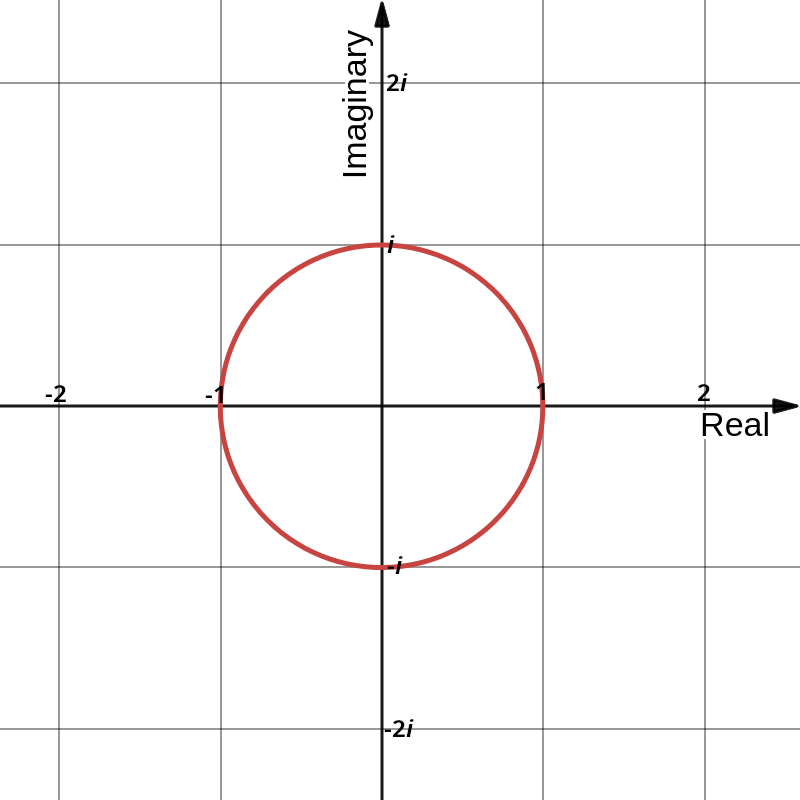
Here the intuition is that multiplying by
where
Translating that back to the normal 2D plane, we have the first real part as the new x coordinate and the second imaginary part as the new y coordinate. Note that for rotating around an arbitrary point, you would need to translate the point to the origin, perform the rotation, and then translate it back.
Okay cool but what about Quaternions?
Quaternions extend this idea to 3D space. While complex numbers use one imaginary unit (
Let’s dive in. Hamilton’s work establishes that the quaternions are defined by the following multiplication rules:
And this is what you’ll first see on the wikipedia page about quaternions. But what does that even mean?
For the first part, it’s easy, we have seen that before with complex numbers. (
Where does THAT come from? It was Hamilton “creative leap” that bridged the gap from complex numbers to quaternions, treat it like a “chicken and egg” situation where he needed the relationship to define the units and now he had the units to define the relationship. How he got there is beyond me. But that relationship implies the following multiplication rules:
Notice that multiplication of quaternions units is not commutative. The order matters. Because first rotating around one axis and then another is not the same as doing it in the opposite order. Which is exactly what we want for 3D rotations.
Now with those rules we can develop an intuition again. If we plot the imaginary parts
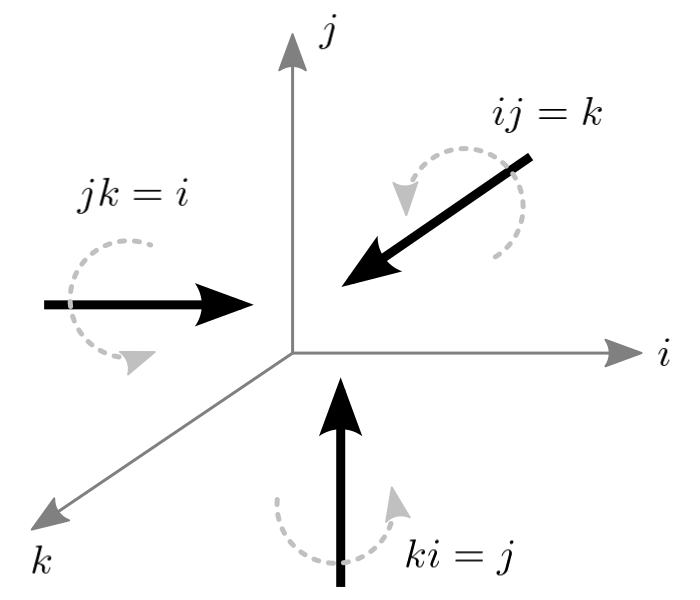
If you aren’t familiar with cross products, the quick explanation is that the cross product of two vectors results in a third vector that is perpendicular to both of the original vectors. The direction of the resulting vector is determined by the right-hand rule.
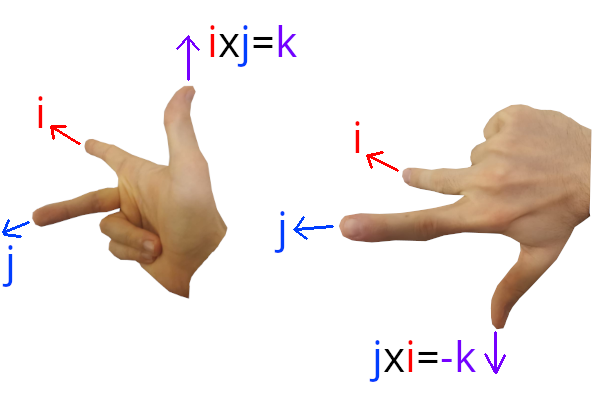
Keep in mind that this is just an intuition aid. Quaternions are not vectors, they are 4D numbers. But the analogy helps in understanding how the imaginary parts relate to 3D space. So as we did with complex numbers, we can think of those imaginary parts as representing directions in 3D space as we multiply them together.
Okay let’s go skate on the 4th dimension now 🛹
Because we are going to flow over many definitions and concepts which are beyond the scope of this blog post to explain in full detail. Read this resource if you want a deep dive into the math behind quaternions.
To represent no rotation, we need a quaternion that acts like the identity element in multiplication. According to wikipedia, that is:
Building on our previous intuition from complex numbers, and much like how complex numbers can represent 2D rotations with a general formula, quaternions can represent 3D rotations using the general form of rotation quaternion:
where:
is the angle of rotation in radians. is the unit vector representing the axis of rotation at the origin.
Seems familiar?
Yep, it’s the same idea. So multiplying the identity quaternion by this rotation quaternion
While this would work to say rotate something on itself, it’s not all we need. We want to rotate points in 3D space around the origin. And we can do just that using the general form of rotation quaternion:
where:
is treated as a pure quaternion with a scalar part of 0: . is the inverse of the quaternion , also known as the conjugate. is the rotated point represented as a pure quaternion.
Okay so several things to unpack here. Which I won’t go into full detail because this would get outside the scope of this blog post:
- A pure quaternion? It’s a quaternion with a scalar part of 0. So just the imaginary parts. The neat part of pure quaternions
is that they can represent points or vectors in 3D space directly. So for a point
, we can represent it as a pure quaternion: ! - The conjugate of a quaternion? It’s just flipping the sign of the imaginary parts.
So for
, the conjugate is .
Now why do we “sandwich” the point
You still with me? Not too rough of a landing? Okay, let’s ride on the next more concrete part.
In the code!
So I’m not going to implement quaternions from scratch here. In my Rust project I use cgmath which has built-in support for quaternions. But the concepts are the same in any language or library that supports quaternions. My usecase was to move my camera using quaternions for orientation to avoid gimbal lock issues. Because, when you encounter those issues, well:
// TODO insert gimbal example here and the code that causes it
But with quaternions, we can avoid that. Here’s how I did it:
|
This function rotates the camera on itself around a given axis by a given angle in radians:
- We first compute the half angle because the general form of rotation quaternion uses half angles.
- We normalize the axis to ensure it’s a unit vector, as required by the rotation quaternion formula.
- We create the rotation quaternion using the general form of rotation quaternion.
- Finally, we update the camera’s orientation by multiplying the new rotation quaternion with the current orientation.
Note the order of multiplication here matters. Multiplying
rotation * self.orientationapplies the new rotation first, followed by the existing orientation. If we did it the other way around, we would be applying the existing orientation first, which would lead to different results.
Here are the results of using quaternions for camera rotation when I call it like so every frame:
|
Amazing.
Now to rotate an object around an arbitrary point in space, we can use the sandwich product we discussed earlier. Here’s how I implemented it:
|
This function rotates the camera around a target point in space:
- We compute the half angle and normalize the axis as before.
- We create the rotation quaternion.
- We translate the camera’s position to be relative to the target point, because the rotation quaternion assumes rotation around the origin. And while rotating something on itself is around the origin of its local space, rotating around an arbitrary point requires us to translate the point to the origin first.
- We apply the sandwich product to rotate the relative position.
- We translate the position back to world space by adding the target point.
- Finally, we also rotate the camera’s orientation by the same rotation to ensure it faces the correct direction. Because otherwise, it wouldn’t be looking at its target after the rotation.
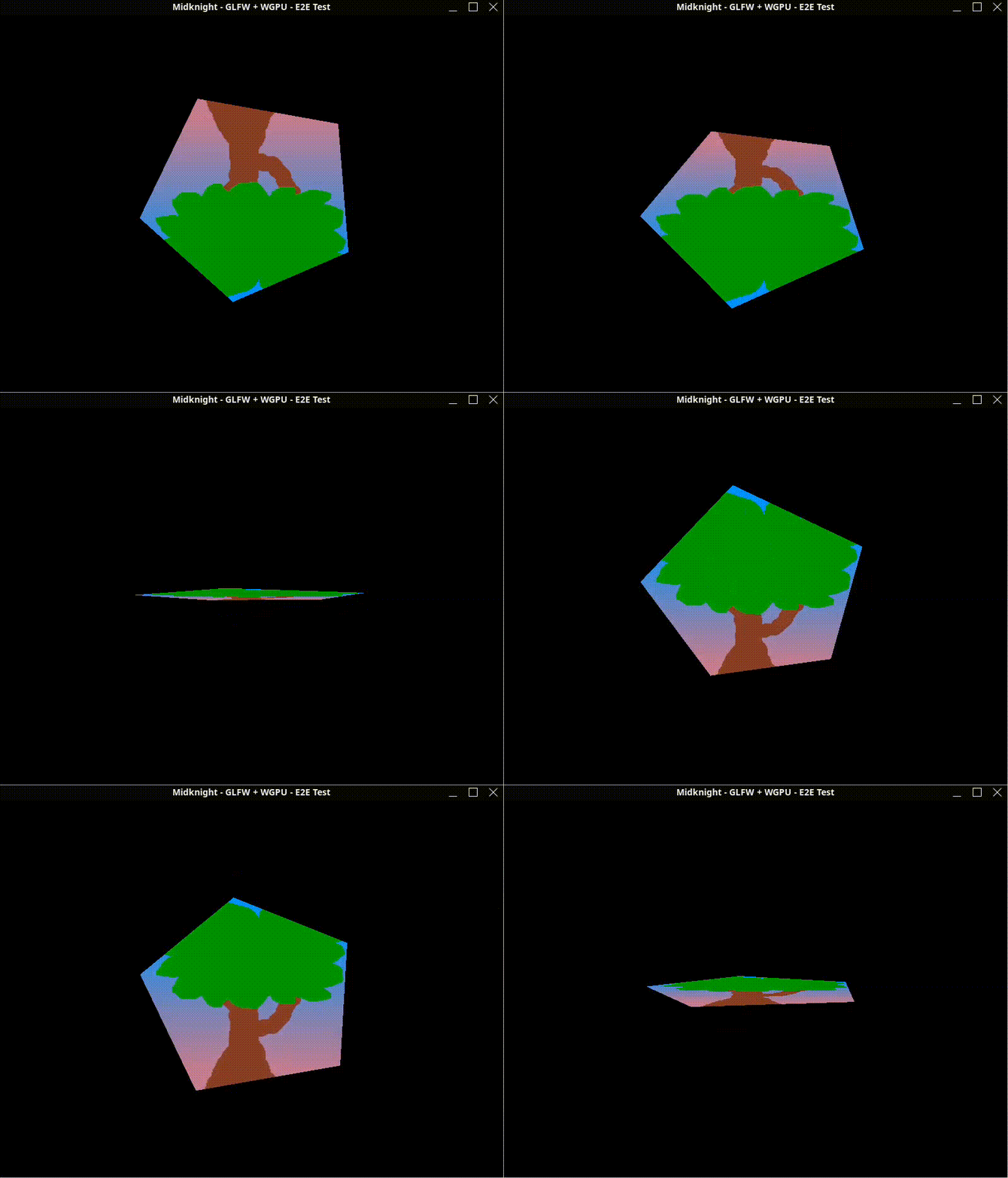
Here we rotate the camera around the x axis of the target point which is at the center of the screen.
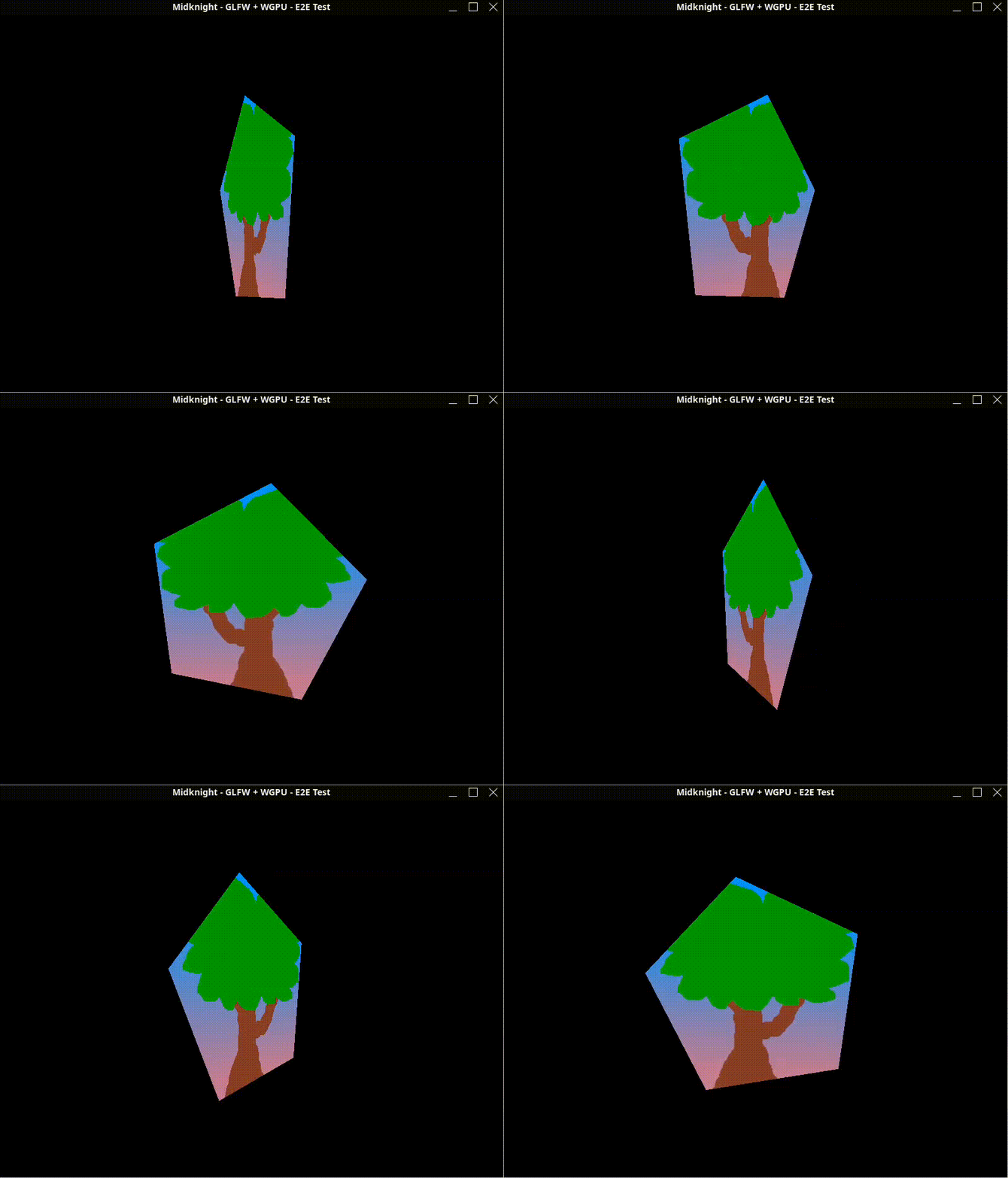
Here we rotate the camera around the y axis of the target point which is at the center of the screen.
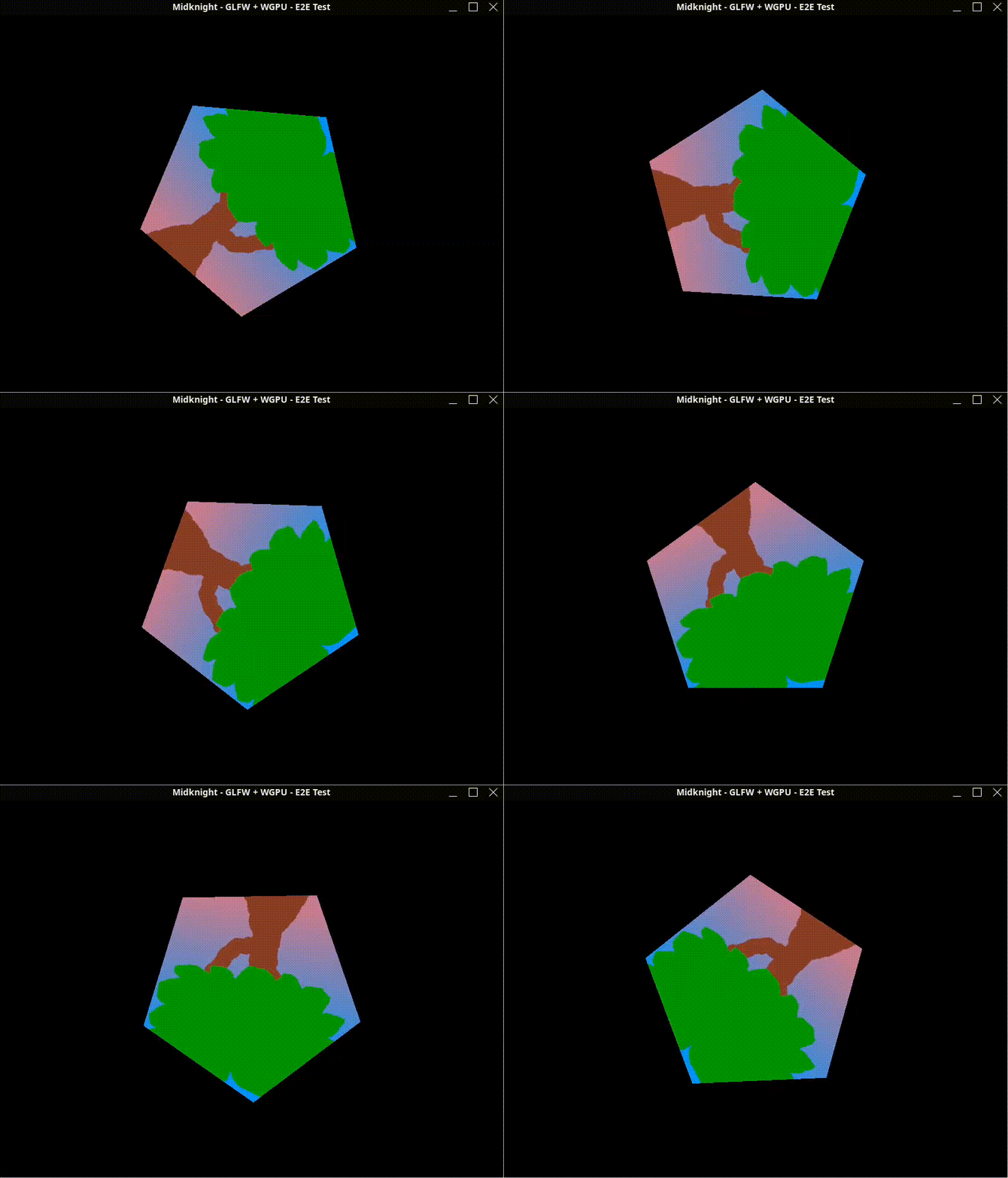
Here we rotate the camera around the z axis of the target point which is at the center of the screen.
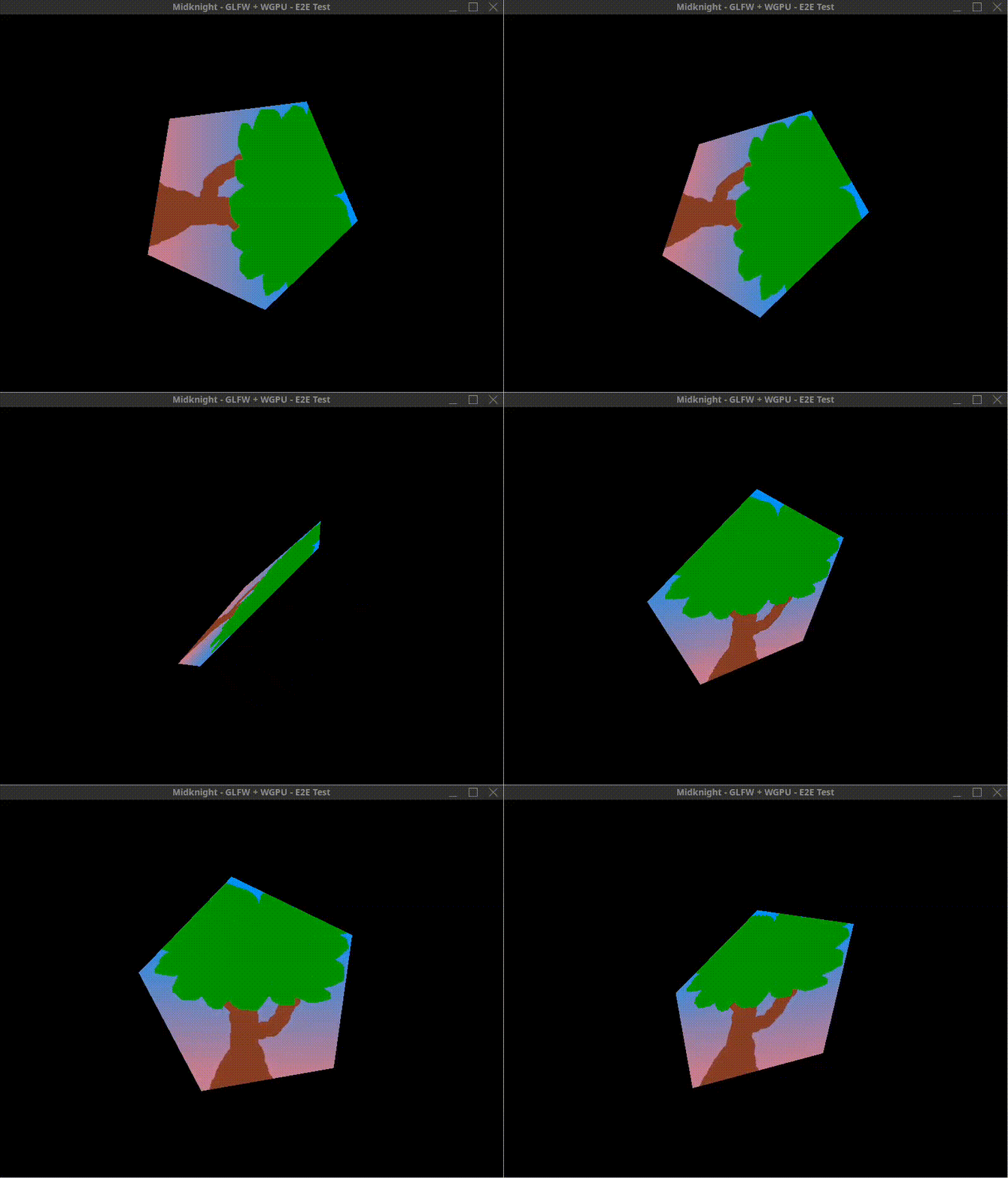
Here we rotate the camera around both the x and y axes of the target point which is at the center of the screen. I just applied the two rotations sequentially in the same frame:
|
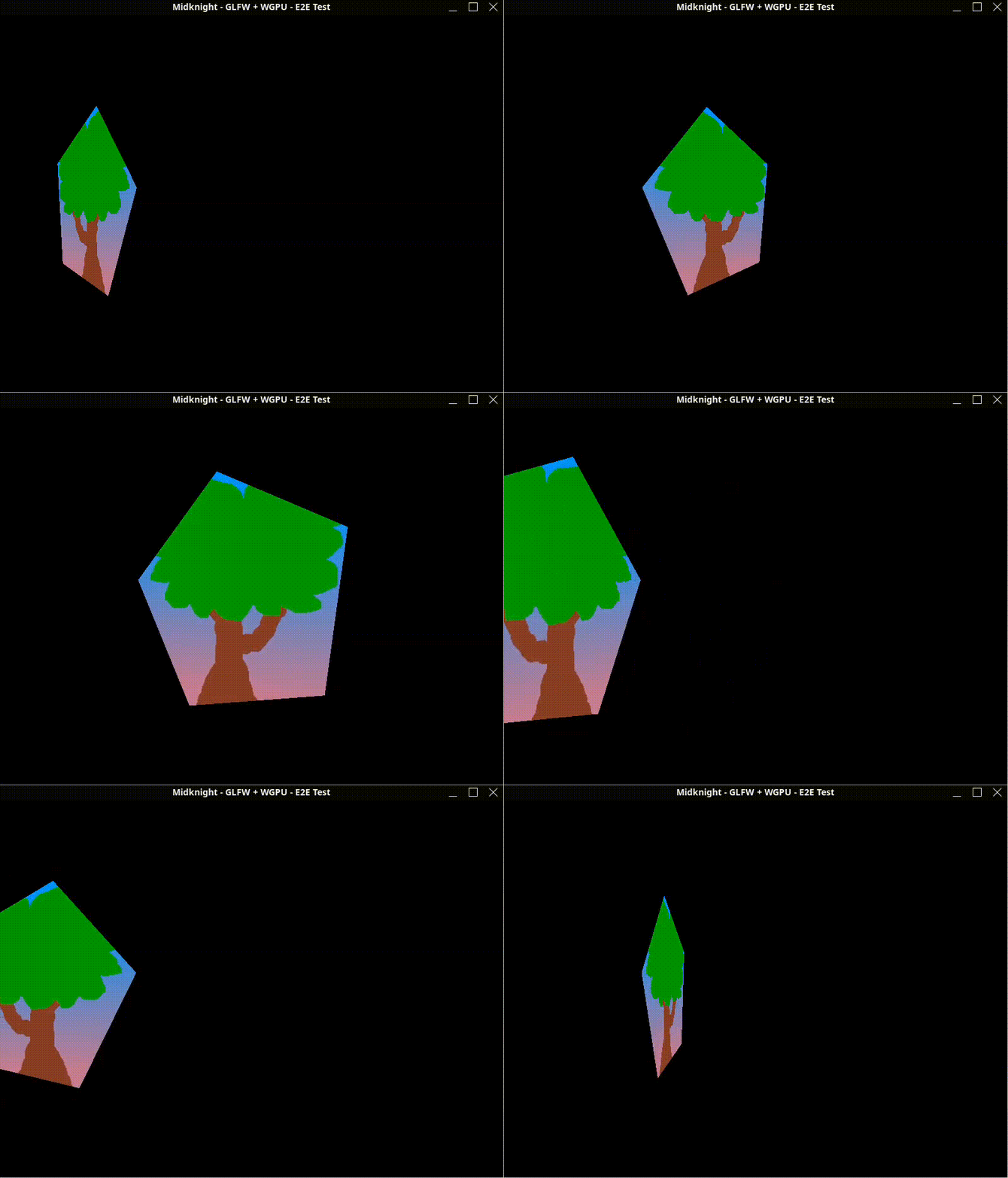
Here we rotate the camera around the y axis of a target point that is offset from the center of the screen by (-0.5, 0, 0).
And there you have it! Quaternions in action for smooth, gimbal lock-free 3D rotations. I hope first it made sense then it wasn’t too painful. If you have any questions or want to discuss more about quaternions or 3D math in general, feel free to reach out at inoukakis@gmail.com.
Cheers!
References
- Quaternion - Wikipedia
- 3D Game Engine Programming - Understanding Quaternions
- [Unity form post about rotation order](https://discussions.unity.com/t/quaternion-multiplication-order/1196