But why?
As I layed down the various requirements for my game engine, a requirement that seemed of vital importance was the ability to tests shaders and other graphical features. I live and breathe by TDD but I cannot do integration tests with a driver such as Vulkan or OpenGL (or maybe I can just not willing to do down this rabbit hole). An alternative is to do visual regression testing.
The plan is to pilot the Vulkan/OpenGL/WebGPU/whatever backend by wrapping it into a small executable and taking screenshots of the rendered scene. Then compare the screenshots with the expected ones. If they match, then the test passes. If they don’t, then the test fails. Easy.
So let me open a python project annnnd boring. I want the hard way! I have 700+ hours in Dark Souls 1. I love pain!
So anyway, I’ve decided that X server would be my dev env and that I would write my own utility to take screenshots
using Xlib.
My motivation for picking Rust for this task is that I want to evaluate how well it integrates with a C library.
Also, Xlib is an old C lib, released in 1985, which makes it an idea candidate to evaluate Rust’s FFI capabilities with
a lib that is not Rust friendly.
I also want to see if Rust would be a strong candidate for my game engine.
⚠️ DISCLAIMER ⚠️ If you didn’t gather already I am not that proficient with Rust. I’m just picking it as I go.
XLib
Now perhaps the most astute reader would ask despite that was stated before: “Why not use the XCB library? It’s a more modern way to interact with the X server and Rust has a crate for it.”
Well as this post on stackoverflow states:
XCB is simpler to use, has a better response to a multithread environment but lacks documentation, while
Xlibis a more dated/complex tool, better documented and fully implemented.
Welp. I’m sold. I’m going to use Xlib.
List of wanted features
- I want to be able to list windows
- I want to be able to take a screenshot of a window by its name
Structuring the Hexagonal Architecture
I love modularity. One day I’ll may have to integrate with other windowing systems. So I’m going to structure my app
to be able to swap the Xlib implementation with another one - just in case.
My use case for taking the actual screenshot looks like this:
|
And As you can see, it is really not that complicated. Most of the heavy lifting is done by the Xlib adapter.
We just check if we can find the window we want to screenshot, then we take the screenshot and save it to the output path.
One lib that I allowed to creep its way into my core logic is the image crate, because I don’t want to manipulate raw
bytes of a PNG. Maybe later.
You way wonder why I abstract so much behind traits. Well, it’s easy to test:
|
If the previous test is not clear, I’m using fake adapters that returns a predefined result. This way I can test when they fail:
|
|
And now that I have the structure in place, I can start writing the tests for the Xlib adapter.
The Xlib adapter
Setting up a X server in a docker container
While writing web apps, I’ve always tested database adapters by running said databases in docker containers.
This provides a great deal of isolation and reproducibility. I’m going to do the same with Xlib. While reading the
documentation, I’ve discovered that there exists an in memory X server called Xvfb (which stands for X Virtual Frame Buffer).
So the plan is: Spin a docker container with Xvfb:
|
And then I can run my test against this VERY ISOLATED environment. A couple of explanations about the dependencies:
- Openbox is a window manager and I need it because well, without one, I wouldn’t be able to list windows ._.
- Font-terminus is a font that Openbox uses.
- Feh is an image viewer that I can use to display images that I’ll take screenshots of with the adapter.
and about the ENTRYPOINT:
DISPLAYspecifies the display number of the X server.-acdisables access control restrictions so we can connect to the X server from any host (ofc unsecure but in ci it’s okay).-listentcp allowsXvfbto listen on a TCP socket. We use it because the X server is running in a container and while we could mount the X11 socket of the host into the container, it’s way more convenient to use the TCP socket. That way you can develop this project on your machine even without X server running!-screen 0 1024x1024x24specifies a screen of 1024x1024 pixels and depth of 24 bits (16.7 million colors).
To test out our setup, we can start the docker container, connect to it and run a couple commands likexclock to start
a window in xvfb and xwininfo (it lists windows) to see if we can interact with the X server.
|
Which should yield something like:
|
Nice. We can even take a screenshot with xwd of Xvfb:
|
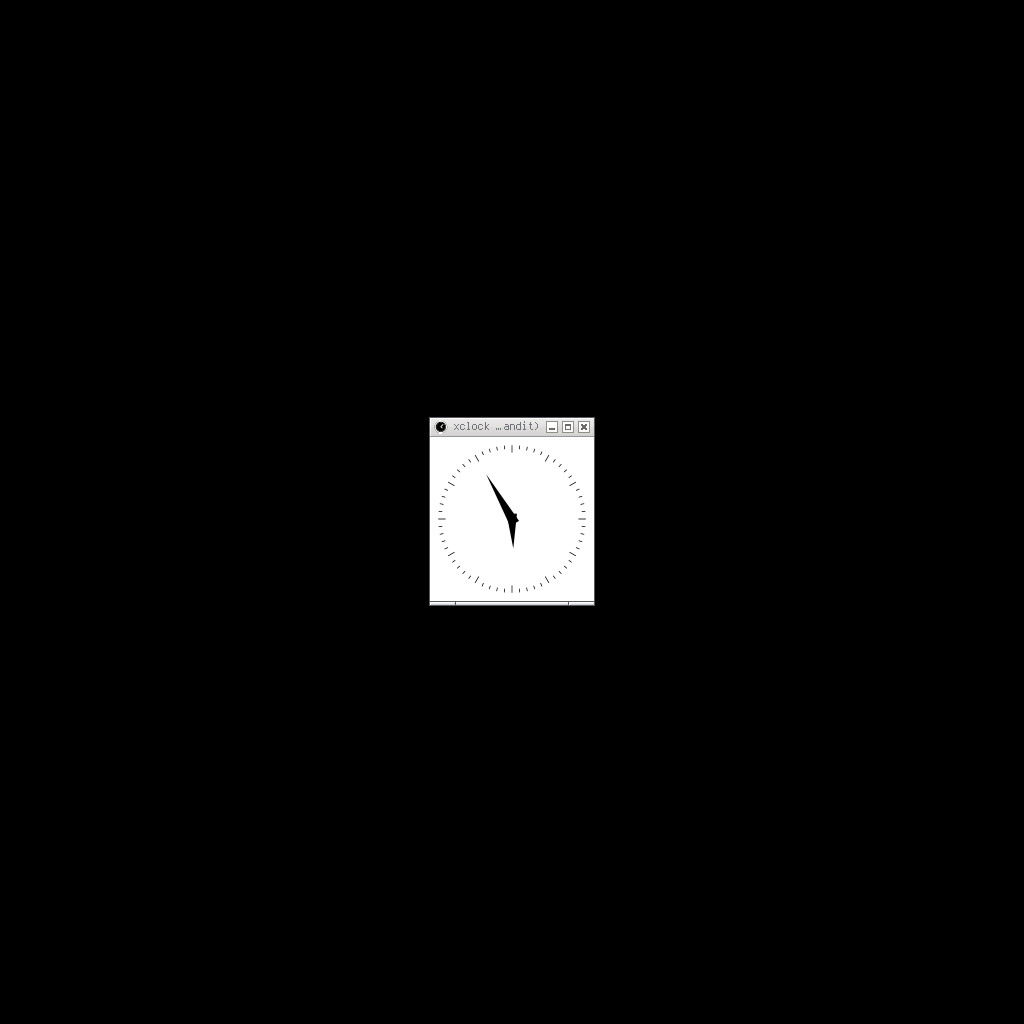
Alright. Now that we have a working X server, we can start writing tests for the Xlib adapter.
Testcontainers in Rust
It’s fairly standard usage really.
|
- This sets the
DISPLAYenvironment variable to:99. - We bind the port 6099 of the container to the host’s 6099 port. This is so we can connect to the X server from the host.
- We mount the images that we will display with
fehduring our test.
Once the container is up and running, we can issue commands to it to run feh and display an image:
|
- The cool feature of feh is that we can specify a window title, perfect to test if the adapter can find a window by name.
- Now for the tricky part. You’ve noticed that I run feh in the background with the
&operator. This is required so I may not have to await its completion (I’m using testcontainers sync api and I am not ready for async yet). Which means I have no means to know when the window is actually created. I’ve tried to usexdotoolto wait for the window to appear… to no avail! So I just sleep for a bit. - Send to stdout the output of the command. This is useful to debug the container and avoid major headaches.

By the way I love this image, because I’ve literally planted dynamite with this sleep. One day it’s going to blow up in my face. I’ll change it at some point.
IN ANY CASE! Please have a look at the tests here before we move on to the actual implementation.
The Xlib adapter - the actual implementation
Fortunately for us, I don’t have to call raw C directly, there is a lib that wraps Xlib for us: x11-dl. Well actually
those are just bindings to the Xlib library. So we still have to deal with the C API. But in a convenient manner.
This will be a nice introduction to how well Rust and C form a happy couple.
Opening a connection to the X server, getting the root window
Following the docs, the first thing to do is to open a connection to the X server, then get the root window handle (a pointer):
|
XOpenDisplay: Honors the DISPLAY environment variable.
Since we have set it in our test, it will connect to the Xvfb. Neat.
Taking the screenshot
XGetImage. This function specifically supports rudimentary screen dumps.
Which sounds like exactly what I need! Though we need to feed it the window’s height and width. We can get those with
XGetWindowAttributes:
|
And now we can take the screenshot:
|
A bit of glossary first, the image we get from XGetImage is a pixmap. It is essentially a two-dimensional array of pixels.
The pixel itself will be a ulong but can represent different things: like a single 8 bit value (monochrome),
RGB(8,8,8) or RGBA(8,8,8,8) for transparency, etc.
Now pixmaps can be worked on by the abstraction of planes. Each plane is a channel, like color of transparency. For example
RGBA8888 is a pixel with 4 planes, each plane taking 8 bits. We have to specify a plane mask to tell xlib which planes we are
interested in. The XAllPlanes function returns a mask that selects all planes, which is what we want (we want all
the colors + transparency).
Next we have to specify a format: ZPixmap or XYPixmap. Either way, we will get an integer, it’s just that XYPixmap can be used in combination of the plane mask to cull the planes we don’t want (like say we only want the R and B of the RGB). Again, we want all the colors, so we choose ZPixmap.
More about pixmaps in wikipedia.
Converting the pixmap to an image
To extract the individual color components (red, green, and blue) from a pixel in a ZPixmap format, we remeber that they are all stored contiguously in the pixel value. So we have to get the masks for each color so we can extract them:
|
Horray: we have the masks. Now shift the pixel value to the right to get the actual color value and then pack the collected colors into a RgbImage (thanks to the image crate, I love you, whoever made it <3):
|
And that’s it. We have a screenshot of a window. Jesus wept that was a lot.
But haha. You think this is it? I mean, you can take the whole screen with this method by passing null as a window id. But what if you want to take a screenshot of a specific window? Well, you have to find it first.
Finding a window
Getting a name
Arguably the harder part. And while you can get the window name with XGetWindowAttributes, don’t just don’t… I tried.
It worked on my computer™. But it didn’t work in the docker container, for some reason ¯\_(ツ)_/¯.
To actually get a window name by its id, I had to look at the source code of xwininfo. So one has to try with
XGetWMName
function or, if that fails, with XFetchName.
|
It feels funny to manage memory by hand in Rust. I guess it is the original sin™ lol. Both functions are called the same way: you initialize either a struct or a pointer to a char array, then you call the function, then you check if the return value is 0 (error) or if the pointer is null (error), then you convert the char array to a string, then you free the memory.
Iterating over a window’s children
Before we can query the window name, we have to get the children of the root window. This is done with XQueryTree:
|
- If the pointer we get back is null then we return, it means this window is childless.
- We make a slice out of the pointer to be able to iterate over it, a read only view of this contiguous memory region, if you will.
- Now we can test if the child window is the one we are looking for. If it is, we return the window id.
funis a closure I pass to the function to either get the window name or to query the children of the child window. - And we free the memory of course.
I’ll forgo the rest of the implementation details, you can find it here. But essentially, now we only have to recursively look for the window we want, listing children each time and querying their names.
Conclusion
Rust
Definitely Cargo wins a place in my heart, it was so easy to just pull new dependencies and start using them (beats cmake and the like by a mile).
The borrow checker learning curve was a bit steep and the auto lifecycle of variables was a bit confusing at first. Like when I call make a variable like so:
|
And wonder why my container has died, only to realize that the variable was dropped immediately after the container was created which resulted in its destruction.
Rust and C marriage
At one time I wanted to speed up converting pixmap values to RGB by using multithreading (overkill) but there I ran into the borrow checker wall. You see XGetImage returns a *mut XImage. One cannot pass this pointer to another thread because once cannot access a mutable reference or pointer from multiple threads - the borrow checker forbids it.
I could copy the data array into sub-arrays and pass them to threads guaranteeing that they won’t overlap
(which would please the borrow checker) or use RefCells
(which would be bypassing the borrow checker all together). And while this would work, a single threaded approach is fast
enough for my use case. This highlights the two clashing philosophies between Rust and C apis such as Xlib.
Because Rust is about safety and C is more like “You know what you are doing.”
So Rust with FFI is a bit awkward. You’ll have to deal with C and write Rust compliant abstractions if you plan to use C libs.
For the context of game engines, that could be a limiting factor. Even though efforts are made to push Rust to the forefront with libs like WGPU apis like Vulkan or OpenGl are still the norm (and will be for many years).
There are libs like glium or vulkano to integrate such libs with rust. But as the docs of vulkano say:
Please note that by the current date none of the known projects in the ecosystem(including Vulkano) reached stable release versions and the final design goals, their APIs are changing from time to time in a breakable way too, and there could be bugs and unfinished features too.
So it’s a bit of a gamble at this moment.
Xlib
Not much to say here. With examples and the doc it was reasonably easy to get what I wanted from it. I recommend https://cpp.hotexamples.com/ if you, like me, struggle to get a sense on how the lib should be used.
Closing thoughts
I think Rust is a strong candidate for building a game engine. I certainly see the appeal of building reusable blocks that can be swapped out while maintaining a contract between them, which is possible with Rust’s traits and the fact you can implement any trait for any type (really good).
Overall the marriage wasn’t so bad and I got a working tool in the end.
Stay tuned for more adventures in game engine development!